Master WordPress Development

Master WordPress Development

Build Your Web Development Career with Real Skills

Design & Develop Professional Websites from Scratch​

Limited-Time Deal: Save 50% Now!

🔥 Limited Time Offer: 50% OFF!
Perfect time to invest in your skills without burning your wallet.
Now’s the perfect time to invest in yourself—before this deal disappears!

Days
Hours
Minutes
Seconds

Here’s What You’ll Master

Untitled design (2)

Meet Your Instructor

Mr. Vipul Singh is an experienced WordPress Developer with over 6+ years of experience in building and managing dynamic websites. Passionate about teaching, he simplifies complex concepts through live projects and interactive learning.

Key Highlights:

  • 6+ years of experience in WordPress development
  • Skilled in theme/plugin customization, Elementor, WooCommerce, and SEO
  • Has mentored 1000+ students through hands-on WordPress projects across various domains
  • Strong focus on practical implementation, freelance career guidance, and project-based learning

Lead WordPress Trainer 

Key Strategist & Founding Member

at Webpeckers

Core Features

Live Classes

Go through training Live Class to learn Concepts

Test Yourself

Test your knowledge through quizzes & module tests at regular intervals

1:1 Doubt Solving

Get your doubts solved by experts through Q&A forum within 24 hours

Take Final Exam

Complete your training by taking the final exam

Hands-on Practice

Get hands on practice by doing
projects

Get Certified

Get certified in Digital Marketing upon successful completion of training

Course Topics Checklist

  • What is CMS and WordPress ?
  • What is Domain & Hosting ?
  • Server Installation ( XAMPP INSTALLATION)
  • Install WordPress On Localhost
  • Understanding WordPress Dashboard
  • Instal Theme In WordPress On Localhost
  • How to create WordPress pages?
  • How to create a menu in WordPress?
  • Create a subpage in WordPress
  • Enable/disable option on WP page
  • How to publish a post on WordPress?
  • How to create categories and add them to the menu?
  • Adding Child Category in WordPress
  • Set Posts Limit Per Page In WordPress
  • Post Excerpt in WordPress
  • How to set any page as a Homepage in WordPress?
  • Blog page setup
  • Approve, Edit, or Delete Comments in WordPress Post
  • How to Create a Custom Menu in WordPress?
  • Must-have plugins for every website
  • Installing & configuring plugins
  • Intro to plugin development
  • Security, backups, and performance tools
  • Change permalinks in WordPress
  • Different types of WordPress widgets
  • Use Calendar widget
  • Use Category widget
  • Recent post widget
  • Change Logo & Website Title
  • Create Footer Section using the widget
  • RSS Feeds widget
  • Use Simple Meta Slider in WordPress
  • Simple Meta Theme Option
  • Carousel slider in WordPress
  • Create a Mobile Responsive Menu
  • Hide Default Theme Mobile Menu in WordPress
  • Password Protect Page or Post in WordPress
  • Increase the WordPress Maximum Upload File Size
  • Duplicate Post in WordPress
  • Create a Slider in WordPress (Using Smart Slider Plugin)
  • Add Buttons & Headings in Slideshow
  • Block Editor to Classic Editor
  • Recent Posts with Thumbnails
  • Custom Post Order in WordPress
  • Add Visitor Counter
  • Add Image Gallery in WordPress (FooGallery Image Gallery Plugin)
  • How to Schedule WordPress Posts?
  • Organize WordPress Media Library
  • Add Contact Form 7 in WordPress
  • Setup WP SMTP in WordPress with Contact Form 7 on Localhost
  • Add Radio Button in Contact Form 7
  • Add CheckBox in Contact Form 7
  • Add Select box or Dropdown List in Contact Form 7
  • Add Quiz Option in Contact Form 7
  • Add File Attachment in Contact Form 7
  • Add a Date Picker Option in Contact Form 7
  • Display Contact Form 7
  • Redirection of Contact form 7 to a Thank You Page
  • Pop Up Message for Contact Form 7
  • Add Google Recaptcha to Contact form 7
  • Add Tables in WordPress Without Plugin
  • Add Tables Using TablePress Plugin in WordPress
  • Open External Links in a New Tab
  • Add YouTube Video to WordPress
  • Add Video gallery in WordPress
  • Add Google Fonts in WordPress
  • Add WhatsApp Chat to WordPress Website
  • Embed Twitter Tweets on WordPress Website
  • Add Facebook Comments on WordPress
  • Add Bing Map in WordPress
  • Add Privacy Policy in Footer Section
  • Disable Right Click On WordPress Website
  • Create Contact Form Using WP Forms Plugin
  • Redirection of WP Forms to Thank You Page
  • Add Call Now Button on WordPress
  • Add WP Date picker
  • Add Google Translate in WordPress
  • Add Google Maps in WordPress
  • Change or remove the Footer copyright text
  • Embed PDF on Your WordPress Website
  • Easily Hide Widget Title in WordPress
  • Change the Text Colour in WordPress
  • Change the Font Size in WordPress
  • Create Users & Roles in WordPress
  • Change Password in WordPress Dashboard
  • Reset a WordPress Password using phpMyAdmin
  • Create User Management System On WordPress Website
  • What is WooCommerce?
  • Install and Setup WooCommerce Plugin
  • Install WooCommerce Storefront Theme
  • Set Default WooCommerce Page
  • Create a Basic Page
  • WooCommerce Settings
  • Create First Product in WooCommerce
  • Create Product Categories and Add Product Category to Menu
  • Filter Option on Product Page
  • Setting up the Taxes in WooCommerce
  • Shipping Option in WooCommerce
  • Create Coupons with WooCommerce
  • Add Variable Product In WooCommerce (Different Prices & Images)
  • WooCommerce Cart Page on a WordPress Site
  • WooCommerce Checkout Page
  • Add Cash on Delivery Payment Method in WooCommerce
  • Create Column Layouts With Elementor
  • Edit Text Editor in WordPress with Elementor
  • Add Text Heading with Elementor
  • Add Image and Video With Elementor
  • Add MAP with Elementor
  • Adding Buttons With Elementor
  • Adding Dividers
  • Adding Image Box
  • Adding Spacebar
  • Adding Tab designs
  • Adding Spacer
  • Adding Icons and Icon box
  • Adding Toggles
  • Adding Accordion
  • Adding Star Rating
  • Adding Social Icons
  • Adding Image Carousel and Slider
  • Adding Progress Bar
  • Adding Number Counters
  • Choosing a Payment Gateway
  • Configuring Payment Gateway Settings
  • Testing the Payment Gateway
  • Security & Go-Live
  • Add Portfolio Section in WordPress
  • Add Pro Gallery in WordPress
  • Add Pro Slider in WordPress
  • Add Animated heading
  • Add Post list in WordPress
  • Add Testimonial slider
  • Flip Box in WordPress
  • Add Call to Action Block
  • Add Countdown Block
  • Add Media Carousel
  • Add Price List in WordPress
  • Add Price Table in WordPress
  • Add Template in WordPress
  • Add Section in WordPress
  • Add Forms in WordPress
  • Add Reviews
  • Add Facebook Page
  • Add WooCommerce Product List
  • What is Domain Name and Web Hosting?
  • How to Buy a Domain name and Web Hosting?
  • How to Upload WordPress Website from Localhost to Live Server?
  • What is Yoast SEO?
  • How to set up the Yoast SEO plugin?
  • How to create a blogging website?
  • How to create a News website?
  • How to build a one-page WordPress website?
  • How to create a landing page?
  • How to design an Education website on WordPress?
  • How to design a Travel website on WordPress?
  • How to create an eCommerce Website on WordPress?

What Our Students Say

Medha Kesarwani Student, Webpeckers

"I am a proud student of Webpeckers. I did Social Media Marketing course and the course was so intricately and thoughtfully designed, that at no point did I personally feel any technical difficulty. The best part was the trainers."

Shiven Singh Student, Webpeckers

" I am very happy that I have taken the decision to learn Digital Marketing from Webpeckers. I learned so many things out of the syllabus and most importantly, I learned how to apply all the skills in practicality."

Utkarsh Dubey Student, Webpeckers

"I did engineering, but I realized that it wasn’t something meant for me. I was looking for other options when I came across Digital Marketing and for this Webpeckers was a clear choice. I had a great experience learning with Webpeckers."

Abdul Haleem Student, Webpeckers

"I came across Webpeckers when I was looking for the best digital marketing institute in Prayagaraj . I have learned to completely upgrade my career from zero knowledge in marketing to digital marketing professional."

Jugal Dwivedi Student, Webpeckers

"Absolutely amazing course! I am so thoroughly impressed with Webpeckers and their teaching style. Excellent course for anyone wanting to learn Digital Marketing. I can assure you that this course is a bang for the buck!"
Why Choose This Course?

Unlock the power of WordPress—the world’s most popular content management system. Whether you’re a beginner or looking to enhance your skills, our comprehensive course will guide you through building dynamic, responsive, and SEO-friendly websites.

Beginner-Friendly

No prior coding experience required

Comprehensive Curriculum

Covers both fundamental and advanced topics

Practical Projects

Build real-world websites to showcase your skills

Flexible Learning

Learn at your own pace, anytime, anywhere

Career Advancement

Enhance your portfolio and job prospects

Placement Assistance

Get Assistance with our Expert To get Your Dream Job

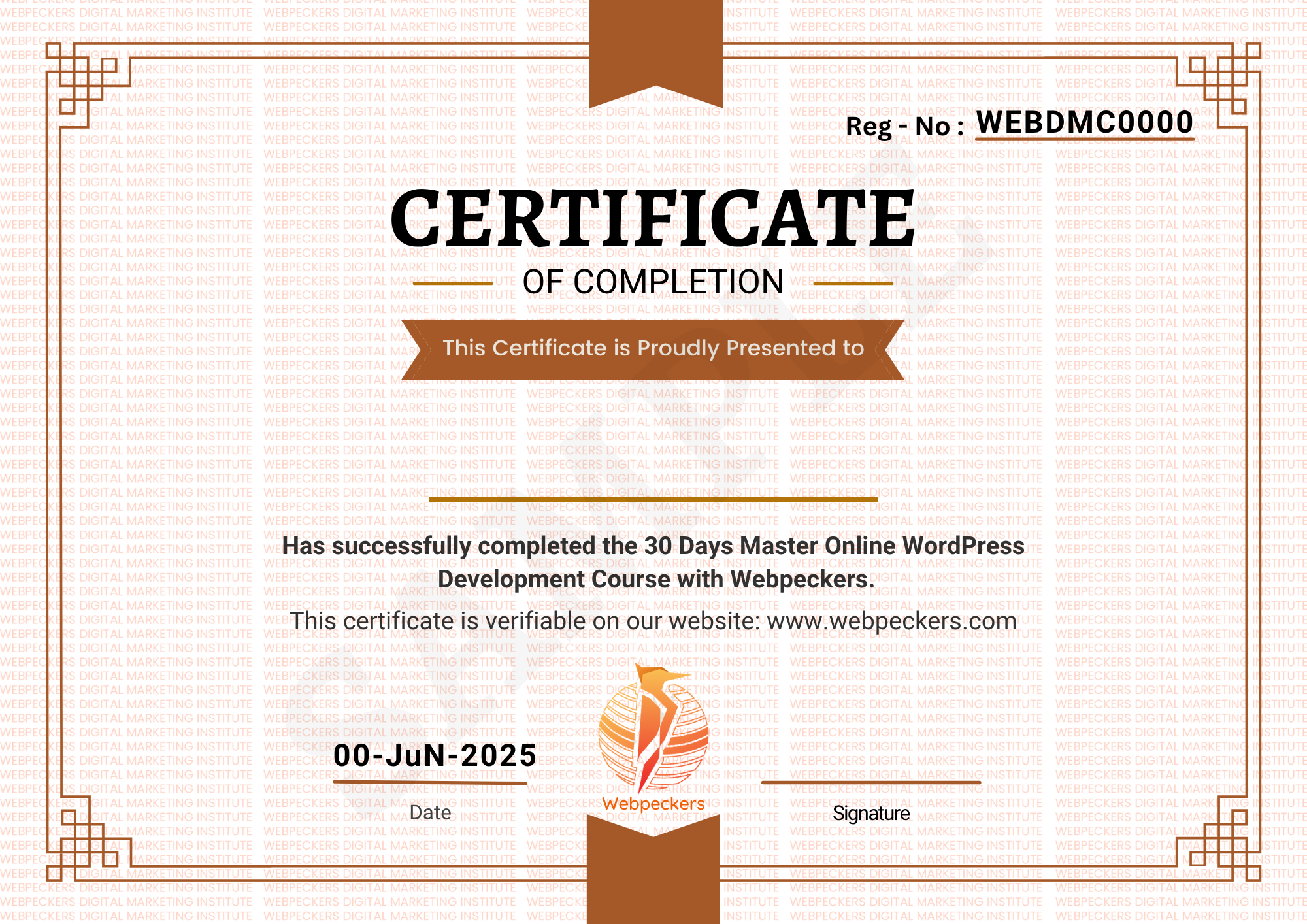
WordPress Website Development Certificate

       Attend live sessions and complete the projects successfully to get certified

  • Learners must attend all live training sessions as scheduled.
  • All projects and assignments must be completed and submitted on time.
  • Each project should meet the evaluation criteria shared by the instructor.
  • A minimum attendance percentage (for example, 80%) is required to qualify.
  • Certificates will be issued only after successful completion and review of all required work.
  • The certificate will be awarded in digital format after final assessment approval.

Frequently Asked Questions ( FAQ’s)

No! You can create fully functional websites without
coding using themes and page builders like Elementor.
However, basic HTML, CSS, and PHP knowledge can
enhance your customization skills

Absolutely! Our course includes multiple real-world projects,
and you’ll receive a certificate of completion at the end.

Yes. We guide you on building a portfolio and help you with
platforms like Fiverr, Upwork, and job portals to start earning

Yes, we provide live doubt sessions, WhatsApp support, and
access to a private community group for continuous help

You can become a freelance web designer, WordPress
developer, theme customizer, plugin developer, or start your
own digital agency.

Yes. You’ll learn to integrate secure payment options like
Razorpay, Stripe, PayPal, etc., especially for WooCommerce
stores.

WordPress offers more flexibility and control compared to Wix
and is more cost-effective and customizable than
Shopify—especially with WooCommerce for eCommerce.

Enroll Now and Start Building!

Don’t miss this opportunity to master WordPress development and take your skills to the next level. Join our community of learners and start creating professional websites today.

Get Instant Access At ₹2,499/-

₹4,999/-

Get Instant Access At

₹2,499/-

₹4,999/-

Scroll to Top